

I pointed a LiteLLM proxy at Cursor, typed “hello,” and captured the full API trace. What came back was a 577KB JSON file containing the complete system prompt, all 16 tool definitions, model parameters, fallback chains, and the entire architecture of one of the most popular AI coding agents on the planet.
This isn’t speculation. This isn’t “I think Cursor probably does X.” This is the raw trace, straight from the wire. And it’s fascinating.
The Setup: How to Capture Cursor’s Brain
Cursor doesn’t talk directly to OpenAI. In enterprise setups, it routes through a proxy. I configured LiteLLM (an open-source LLM gateway) with Langfuse tracing enabled, pointed Cursor at it, and typed a single word: “hello.”
The trace captured everything: the full HTTP request body, model parameters, tool schemas, and the complete conversation architecture. One word from me. 10,000+ words from Cursor to the model. Let’s unpack it.
The System Prompt: 10,000 Words Before You Say Anything
Here’s where it gets wild. Before your message even reaches the model, Cursor injects a system prompt that’s over 10,000 words long. This is the instruction manual the model reads before it processes a single character of your input.
Before we unpack the prompt, two model parameters from the trace stand out. Reasoning effort is set to “medium”, not maximum. Cursor doesn’t burn tokens on deep chain-of-thought for every interaction. And reasoning.encrypted_content is requested, meaning the model’s internal reasoning is encrypted in transit. You never see the raw chain of thought. The model thinks privately.
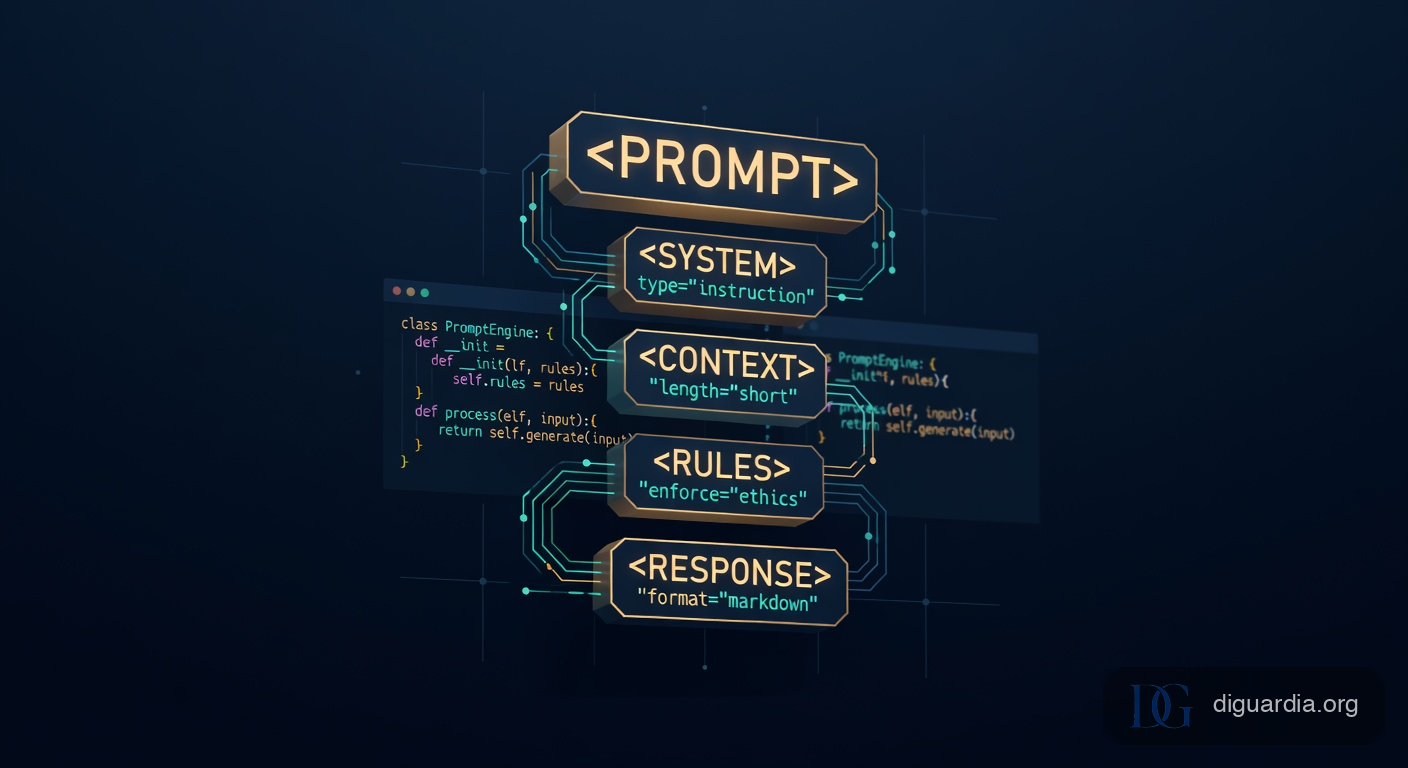
The prompt is structured using XML-like tags as section delimiters. Not because XML is fashionable (it’s not), but because LLMs are extremely good at respecting boundaries defined by tags. Here’s the skeleton:
<persistence> ... </persistence>
<system-communication> ... </system-communication>
<markdown_spec> ... </markdown_spec>
<user_updates_spec> ... </user_updates_spec>
<tone_and_style> ... </tone_and_style>
<tool_calling> ... </tool_calling>
<making_code_changes> ... </making_code_changes>
<linter_errors> ... </linter_errors>
<citing_code> ... </citing_code>
<terminal_files_information> ... </terminal_files_information>
<task_management> ... </task_management>
<mcp_file_system> ... </mcp_file_system>
<mode_selection> ... </mode_selection>
Let’s break down the most interesting sections.
The Persistence Directive: “Never Stop”
The very first section is <persistence>, and it’s labeled CRITICAL. It reads:
“You are an agent — please keep going until the user’s query is completely resolved, before ending your turn and yielding back to the user. Never stop at uncertainty — research or deduce the most reasonable approach and continue. Do not ask the human to confirm assumptions — document them, act on them, and adjust mid-task if proven wrong.”
This is the single most important instruction in the entire prompt. It transforms the model from a chatbot that stops and asks questions into an autonomous agent that just figures things out and keeps going. Most amateur agent builders miss this entirely. They let the model ask “should I continue?” at every decision point, which creates a terrible user experience. Cursor explicitly forbids it.
User Updates: The Communication Protocol
The <user_updates_spec> section is surprisingly detailed. It dictates exactly how the agent should communicate progress:
- Update length: 1-2 sentences, 25-50 words. Never more than 3 sentences except in initial plan and final answer.
- Cadence: One update every 2-3 tool calls. Never go more than 5 tool calls without updating.
- Tone: “Friendly, confident, collaborative. Be upbeat and humble; own mistakes and fix them quickly.”
- Explicitly: no markdown headers in updates, only in the final summary.
This is UX engineering baked directly into the prompt. Cursor recognized that watching an agent work silently for 30 seconds is anxiety-inducing, so they mandated regular progress updates. The “no headers in updates” rule prevents the chat from looking like a Wikipedia article while the agent is mid-task.
Making Code Changes: The Read-First Rule
There’s a rule buried in <making_code_changes> that’s easy to miss but critical: “You MUST use the Read tool at least once before editing.” This prevents the model from hallucinating file contents and overwriting code based on what it thinks is in the file rather than what’s actually there. It’s the software equivalent of “measure twice, cut once,” and it’s enforced at the prompt level.
The Code Citation System
The <citing_code> section is remarkably detailed. Cursor invented a custom syntax for referencing code that already exists in the codebase:
```startLine:endLine:filepath
// code content here
```
This is different from standard markdown code blocks (which are for new code). The triple-backtick format with line numbers lets Cursor’s frontend render a clickable link that jumps to the exact location in the editor. The prompt includes five good examples and five bad examples of how to use this format, which tells you how hard it was to get the model to consistently use it correctly.
The 16 Tools: What Cursor Can Actually Do
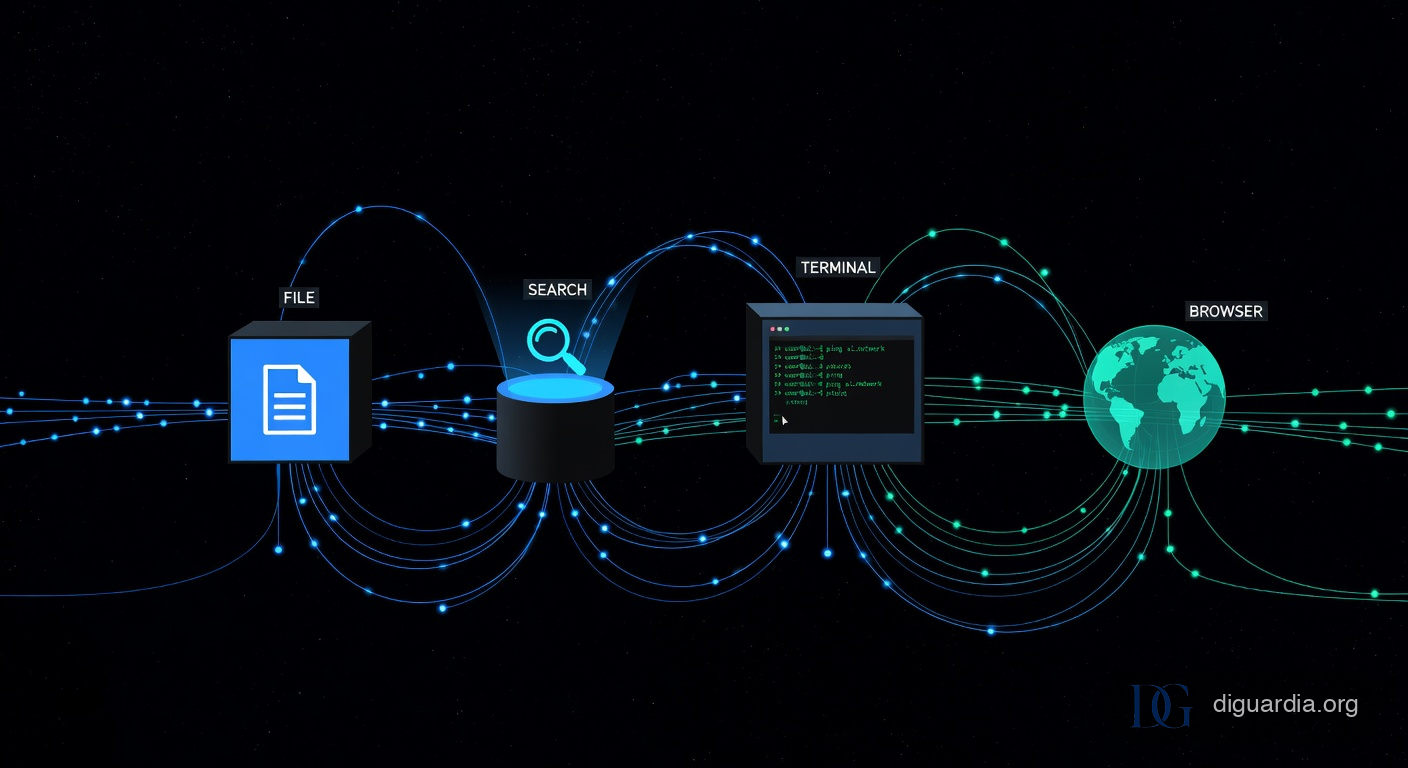
Every tool definition is sent in full with every API call. This is expensive (token-wise) but necessary because the model has no persistent memory of tool schemas between calls. Here’s the complete toolkit:
File Operations (5 tools)
- Read: Read files with optional offset/limit. Supports images (JPEG, PNG, GIF, WebP) and PDFs. Lines are numbered in output as
LINE_NUMBER|LINE_CONTENT. - ApplyPatch: The crown jewel. More on this below.
- Delete: Simple file deletion with graceful failure.
- Glob: File pattern matching, sorted by modification time.
- EditNotebook: Jupyter notebook cell editing.
Search (2 tools)
- Grep: Built on ripgrep. Supports regex, file type filtering, output modes (content, files_with_matches, count), pagination. The prompt explicitly tells the model: “STOP. ALWAYS USE ripgrep at
rgfirst.” - SemanticSearch: Embedding-based code search that finds code by meaning, not exact text. Think: “Where do we encrypt passwords?” instead of
grep encrypt.
Execution (1 tool)
- Shell: Command execution with stateful sessions (cwd and env vars persist). Supports background processes with a terminal file system (output streams to
$id.txtfiles). The model can poll for completion, check exit codes, and kill hung processes. The prompt has a detailed<managing-long-running-commands>section with exponential backoff guidance. This is not a toysubprocess.run()wrapper.
Web (2 tools)
- WebSearch: Real-time web search. The prompt dynamically injects today’s date and explicitly says “You MUST use this year” to prevent the model from searching for 2024 docs in 2026.
- WebFetch: URL content fetching with markdown conversion. Runs from an isolated server (no localhost access). Read-only, no binary content.
IDE Integration (2 tools)
- ReadLints: Fetches linter errors from the workspace. The prompt says: “NEVER call this tool on a file unless you’ve edited it.”
- SwitchMode: Switches between Agent, Plan, Debug, and Ask modes. Only Plan mode is switchable by the model. The others require user action.
Agent Orchestration (1 tool)
- Task: Launches subagents. This is Cursor’s multi-agent system. More on this in the next section.
User Interaction (2 tools)
- AskQuestion: Presents structured multiple-choice questions to the user. Not free-text; options with IDs.
- GenerateImage: Image generation from text descriptions. Gated with “STRICT INVOCATION RULES” to prevent the model from generating images when not asked.
Extensibility (2 tools)
- CallMcpTool: Calls any MCP (Model Context Protocol) tool. The model discovers available tools by reading JSON descriptor files from the filesystem. This is how Cursor integrates browser automation, custom APIs, and third-party tools without hardcoding them.
- FetchMcpResource: Reads MCP resources (read-only data from MCP servers).
Task Management (1 tool)
- TodoWrite: Creates and manages structured task lists. Used for complex multi-step tasks. The prompt includes elaborate guidance on when to use it (3+ step tasks) and when not to (single-step tasks, informational requests).
ApplyPatch: Cursor’s Custom Diff Language
This is the most technically interesting tool in the entire suite. Cursor didn’t use standard unified diff. They didn’t use the OpenAI function calling approach of passing entire file contents. They invented their own patch language with a formal grammar defined in Lark (a Python parsing toolkit):
start: begin_patch hunk end_patch
begin_patch: "*** Begin Patch" LF
end_patch: "*** End Patch" LF?

hunk: add_hunk | update_hunk
add_hunk: "*** Add File: " filename LF add_line+
update_hunk: "*** Update File: " filename LF change?

change: (change_context | change_line)+ eof_line?
change_context: ("@@" | "@@ " /(.+)/) LF
change_line: ("+" | "-" | " ") /(.*)/ LF
This is a constrained decoding format. The model must output syntactically valid patches. The @@ context headers can include class/function names to disambiguate repeated code patterns. The +/-/ prefixes work like unified diff but with simplified semantics.
Why go to this trouble? Three reasons:
- Token efficiency: Sending only the changed lines plus 3 lines of context is dramatically cheaper than sending the entire file for every edit.
- Deterministic application: The patch format can be parsed and applied mechanically. No fuzzy matching needed.
- Grammar constraints: By providing a formal grammar with
"type": "grammar"and"syntax": "lark", Cursor can use constrained decoding to guarantee the model’s output is a valid patch. This eliminates an entire class of tool-use failures.
If you’re building your own coding agent, this is the highest-leverage idea to steal. Most agents either rewrite entire files (expensive, error-prone) or use str.replace() (brittle). Cursor’s approach sits in the sweet spot.
The Multi-Agent System: Subagents and Parallelism
The Task tool reveals that Cursor isn’t one agent. It’s a coordinator that can spawn specialized subagents:
- generalPurpose: Multi-step research and implementation.
- explore: Fast codebase exploration. Has thoroughness levels: “quick,” “medium,” “very thorough.”
- shell: Command execution specialist.
- browser-use: Browser automation for testing web apps. Stateful (can resume previous browser sessions).
The prompt explicitly says: “Launch multiple agents concurrently whenever possible. DO NOT launch more than 4 agents concurrently.” So when Cursor needs to understand a large codebase, it fans out up to 4 parallel explore agents across different directories.
There’s also a model selection system. Only one model alias is exposed to the agent: fast (cost 1/10, intelligence 5/10). The prompt says: “When speaking to the USER about which model you selected, do NOT reveal these internal model alias names. Use natural language like ‘a faster model.’” This leaks the fact that there are other model tiers (the prompt mentions “alpha, beta, gamma” as names not to reveal), but only fast is available for subagent dispatch in this trace.
IDE State Injection: What Cursor Knows About You
The user message isn’t just your text. Cursor injects a massive amount of IDE context before your query:
<user_info>
OS Version: darwin 24.0.0
Shell: zsh
Workspace Path: /Users/giorgio/newtest
Is directory a git repo: No
Today's date: Saturday Mar 7, 2026
Terminals folder: /Users/giorgio/.cursor/...
</user_info>

<rules>
  <always_applied_workspace_rules>
    ... your .cursor/rules/*.mdc files ...
  </always_applied_workspace_rules>
</rules>

<agent_skills>
  ... your .cursor/skills/*/SKILL.md files ...
</agent_skills>

<open_and_recently_viewed_files>
  ... list of open files ...
</open_and_recently_viewed_files>
Every Cursor rule you’ve written in .cursor/rules/ is injected verbatim into the user message. Every skill you’ve defined gets its description included. The model sees your open files, your OS, your shell, whether you’re in a git repo, and today’s date. This is how Cursor achieves context-awareness without fine-tuning. It’s runtime context injection via prompt engineering.
The terminal system is particularly clever. Terminal state is represented as text files on disk ($id.txt) with metadata headers (pid, cwd, last command, exit code). The model reads and writes these files just like any other file. There’s no special terminal API. Just files. Beautifully simple.
Building a Thin Cursor: The Architecture Cheat Sheet
So you want to build your own. Here’s what the trace tells us about the minimum viable architecture for a Cursor-like coding agent:
1. The System Prompt (~2,000 lines)
Use XML-like tags to structure sections. The critical sections are:
- Persistence: “Keep going until done. Don’t ask for confirmation.”
- Communication protocol: Update cadence, length, tone.
- Tool usage rules: When to use each tool, when not to.
- Code change protocol: “Read before edit. Check lints after.”
- Safety: Git safety (never force push), file safety (no secrets in commits).
2. The Tool Registry (16 tools)
At minimum, you need:
- Read/Write files: With line numbers and offset support.
- Search: Both exact (ripgrep) and semantic (embeddings).
- Shell: Stateful, with background process support.
- Patch/Edit: A constrained diff format beats full-file rewrites.
- Linter: Feedback loop to catch errors immediately.
3. Model Routing
Use LiteLLM or a similar proxy for model fallback chains. Try cheaper models first, fall back to expensive ones. This saves 60-80% on inference costs for simple queries that don’t need frontier models.
4. Context Injection
Before every API call, inject: open files, current directory, git status, linter errors, and any user-defined rules. The model doesn’t remember your project between calls. You have to remind it every time.
5. Multi-Agent Orchestration
For complex tasks, spawn subagents with different specializations. Limit concurrency (Cursor caps at 4). Pass detailed context in the prompt since subagents don’t share the parent’s conversation history.
6. MCP for Extensibility
MCP is how you make the agent extensible without modifying core code. Browser automation, database queries, third-party APIs: they all become MCP tools that the agent discovers at runtime by reading JSON descriptor files. If you want a head start, the Claude Agent SDK gives you MCP integration, file tools, and shell execution out of the box, so you can skip building the plumbing yourself.
What This Means for the AI Coding Agent Space
The trace reveals that Cursor is fundamentally a very well-engineered prompt plus a tool orchestration layer. There’s no magic. No fine-tuned model. No proprietary secret sauce in the AI itself. The intelligence comes from:
- A meticulously crafted system prompt that transforms a general-purpose LLM into a coding agent
- A thoughtful tool suite that gives the model real capabilities
- Smart infrastructure (model routing, constrained decoding, terminal-as-files)
- Relentless UX details (communication cadence, code citation format, mode switching)
This is both reassuring and terrifying. Reassuring because it means you can build something similar with open-source tools and a good prompt (we wrote a hands-on guide to building agentic AI systems with the Claude Agent SDK that covers exactly this). Terrifying because it means the moat isn’t the technology. It’s the product polish and ecosystem (rules, skills, MCP integrations) that Cursor has built around it.
The real competitive advantage isn’t the system prompt (which, as you can see, is capturable). It’s the IDE integration, the diff rendering, the background process management UI, the terminal integration, and the thousands of small UX decisions that make “an LLM with tools” feel like a coding partner instead of a chatbot with file access.
If you want to build a Cursor competitor, the prompt and tools are table stakes. The hard part is everything that wraps around them. And that’s exactly what makes great software: not the engine, but the car.